
Data Analysis Fundamentals
Learn how to use Google Sheets by exploring real stats from the NBA
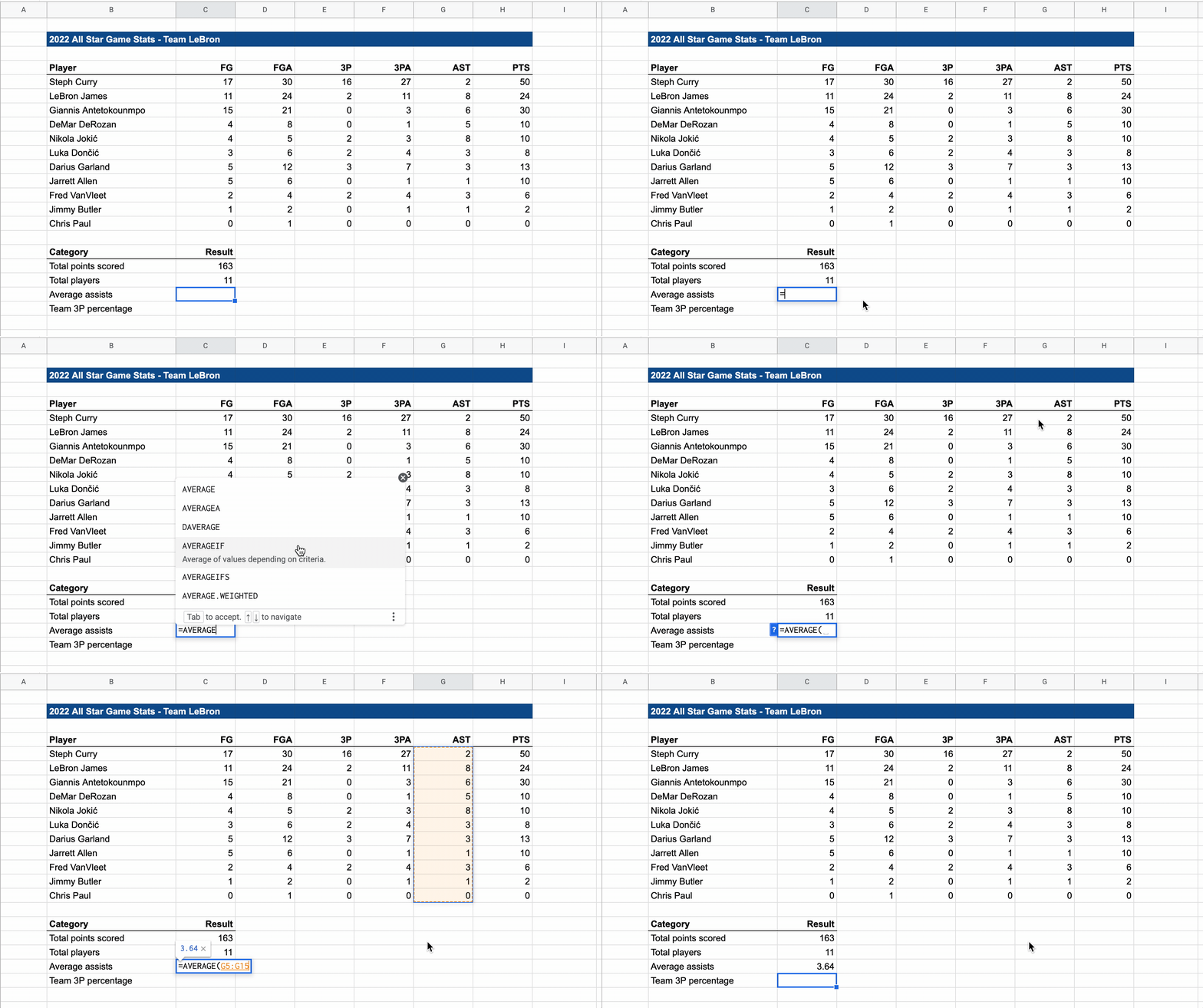
This online course will teach you the core features of Google Sheets by practicing data analysis skills with NBA basketball stats. You'll get access to over 30 lessons that start with basic concepts like formulas and then build up to intermediate concepts such as functions and conditional formatting.
Every student will receive their own Google Sheets file so you can practice as you follow along with the course. Analyzing data requires more than just reading a textbook or watching a video, you must test these concepts on your own. Every lesson is designed so you can watch, learn, and then repeat the skills in your practice file.
This course is designed for data beginners who love basketball and want to learn more about data analysis. Online courses have a much higher completion rate when the lesson content is fun and engaging, so we built this course with real basketball stats from your favorite NBA players.
It's also great for learners of all ages: we have current students all the way from 5th grade to recent college graduates. If you love watching players like Steph Curry, LeBron James, and Giannis Antetokounmpo then this is the perfect course for you.
Most online courses contain endless hours of videos that get boring after a few minutes, so we wanted to try something different with short lessons that explain each concept using looping GIFs, kinda like a digital textbook. This makes it easier to watch a new skill several times before trying it on your own in the practice file.
Introduction to spreadsheets
Writing formulas
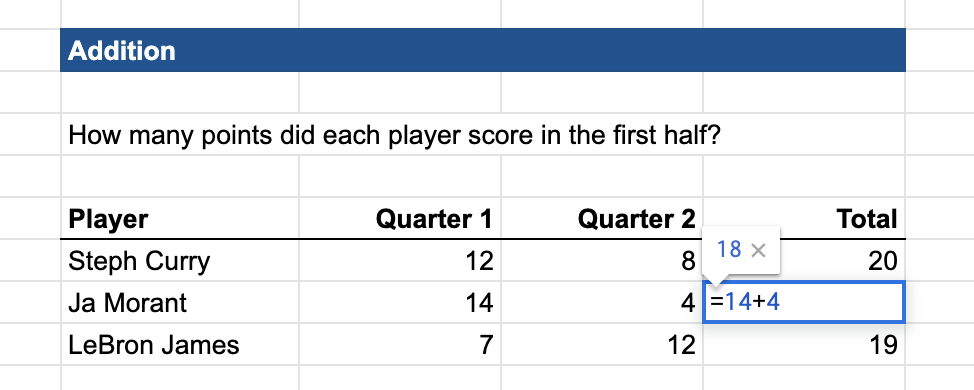
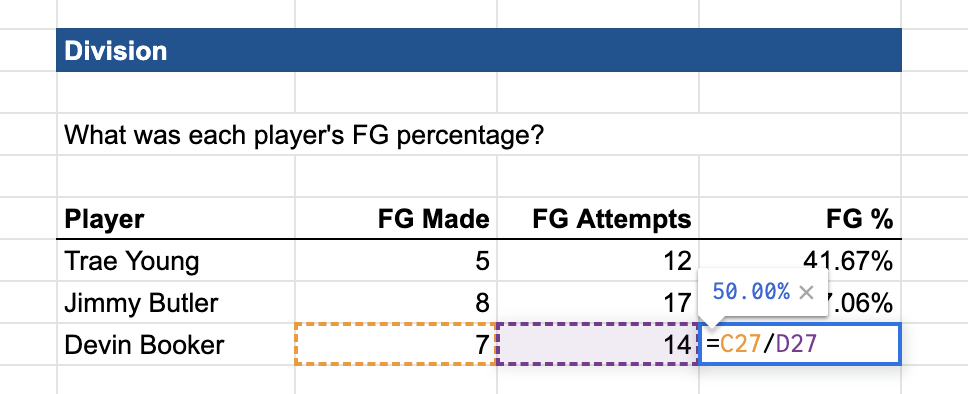
Add, subtract, multiply, and divide
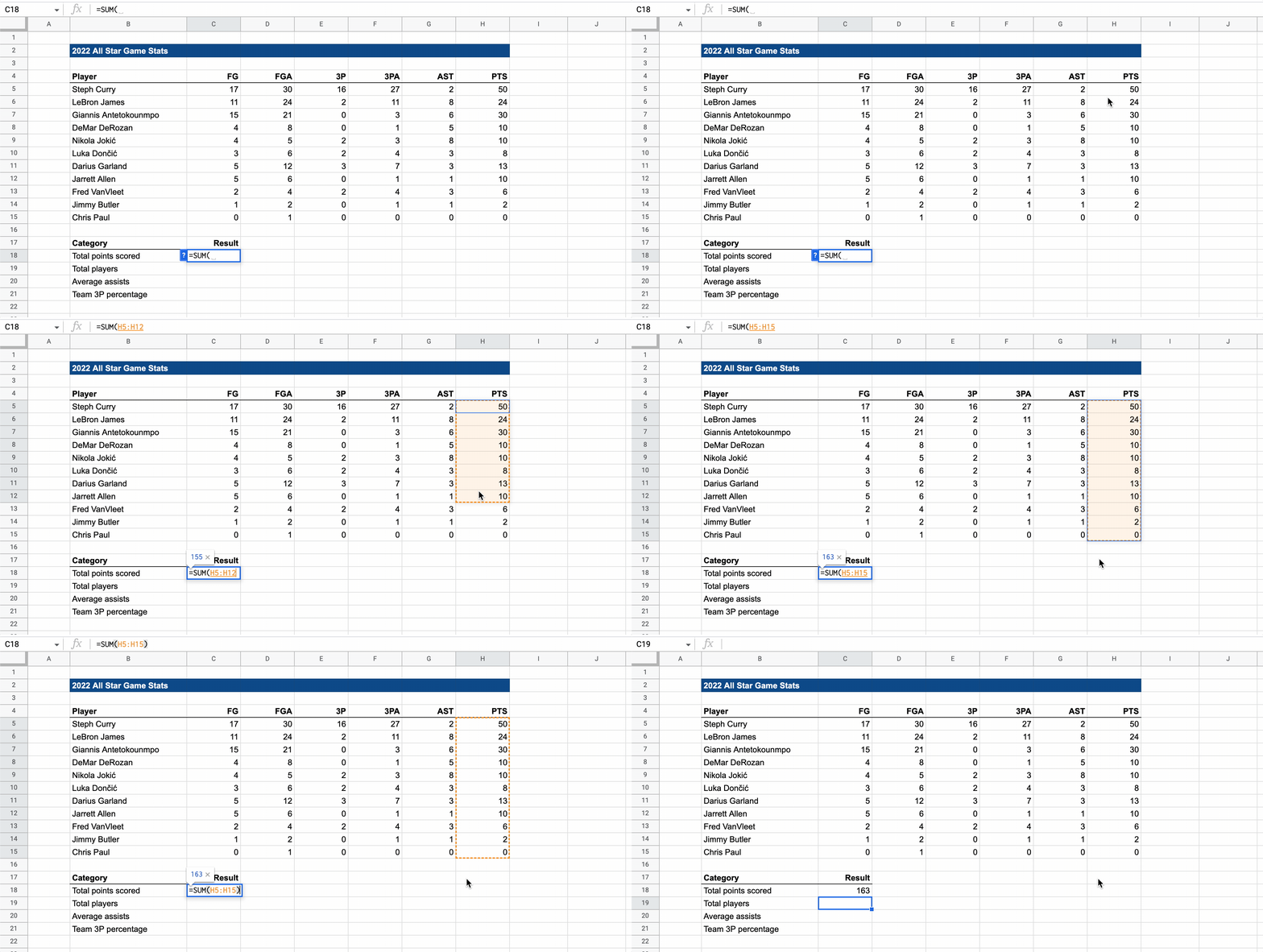
SUM, AVERAGE, and COUNT functions
Sorting & filtering data tables
Number formatting and cell formatting
Conditional formatting
SUMIF (conditional functions)
Google Sheets is a great spreadsheet platform that is easy to access online, and it's free to use. If you don’t have a Gmail account then you can follow these steps here to create a free one.
We like using Google Sheets because it has the same user experience across Apple and PC computers, whereas Microsoft Excel looks a little different between those devices. Don’t worry, all of the concepts in this course are easily transferred to Excel if you want to use Excel more going forward.
The course takes about 3 hours to complete
Over 30 lessons and quizzes across 4 different chapters
Each lesson contains a mixture of text and video instruction
You will get your own Google Sheets file to practice with
You can email the instructor if you get stuck anywhere
You get lifetime access to the course for free!